A power dial session built from a CRM list remembers everyone you have called and removed. Keep it when you stop for the day, and come back to call only the new contacts.
Go to Calls → Power Dialing.
It works for sessions built from a CRM list, in Pro mode and Lite mode.
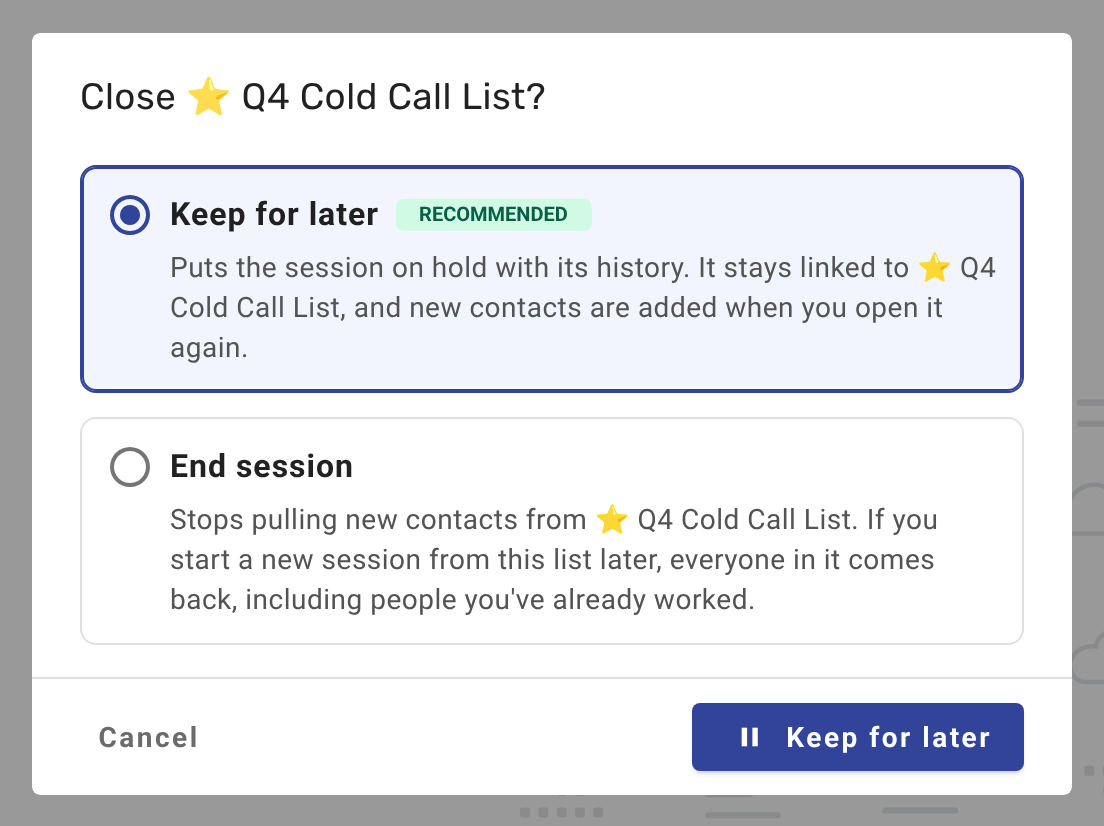
When you finish the last call in the queue, or close the session yourself, Symbo asks what to do with it. Pick an option, then click the button at the bottom.
Keep for later is the recommended choice, and it is picked when the dialog opens. It puts the session on hold with its history, and a linked session stays linked to its list.
End session stops pulling new contacts. A new session from the same list would queue everyone again, including people you already called.
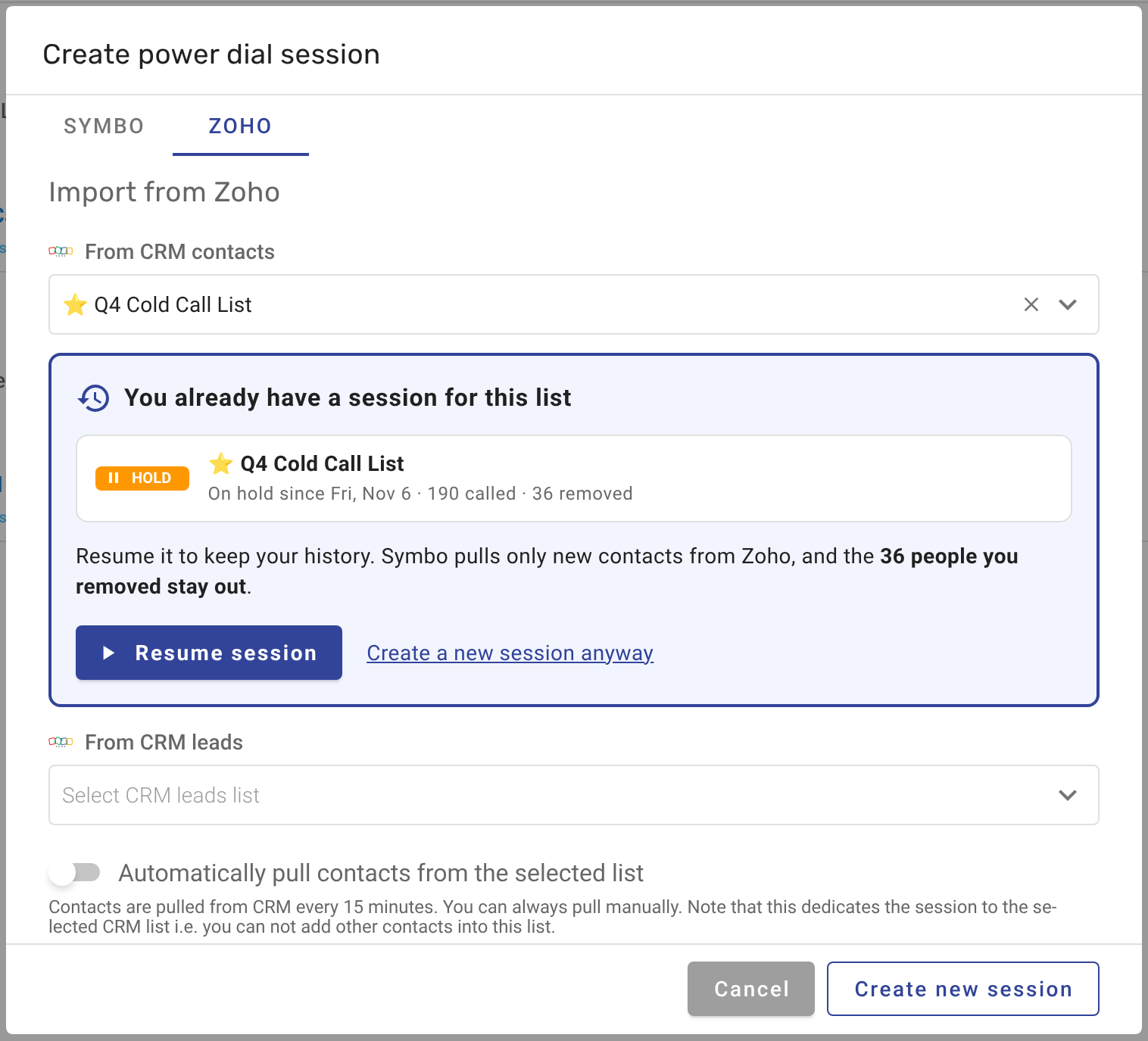
Click + Create dial session and pick the same list. Symbo offers Resume session for the session you already have.
If you ended that session, the card offers Restore session. It brings the session back with its history, linked to the list.
Both open the session and check the list right away. People you already called or removed are not added again.
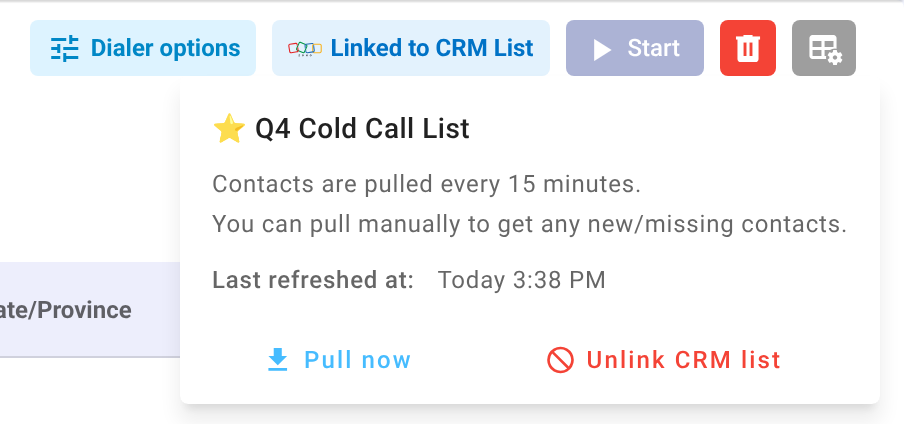
A linked session pulls from its list about every 15 minutes.
To check now, pause the dialer, open Linked to CRM List and click Pull now. An alert shows how many new contacts were added.
Create a new session anyway is always available on the card. A new session queues the whole list, as before.
Admins who create a session with Assign to user see that rep's earlier sessions.
To link a session to its list, see Automatic CRM List Importing in Dial Sessions.
