
This guide will show you how to install the Symbo dialer in Zoho to use native click-to-call and to access the Symbo Sales Dialer.
Step 1: Connect Zoho CRM to Symbo
1) Login to your Symbo admin account
2) From the Symbo dashboard, connect Zoho to Symbo. This will allow for calls to log back to Zoho records. The following help doc provides instructions for connecting your CRM: https://help.symbo.ai/en/articles/7260438-connecting-your-crm-to-symbo
Step 2: Install the Symbo Dialer App
1) Paste the following link in your browser:
2) Agree to the Terms of Service and authorize Symbo to access and process your data.
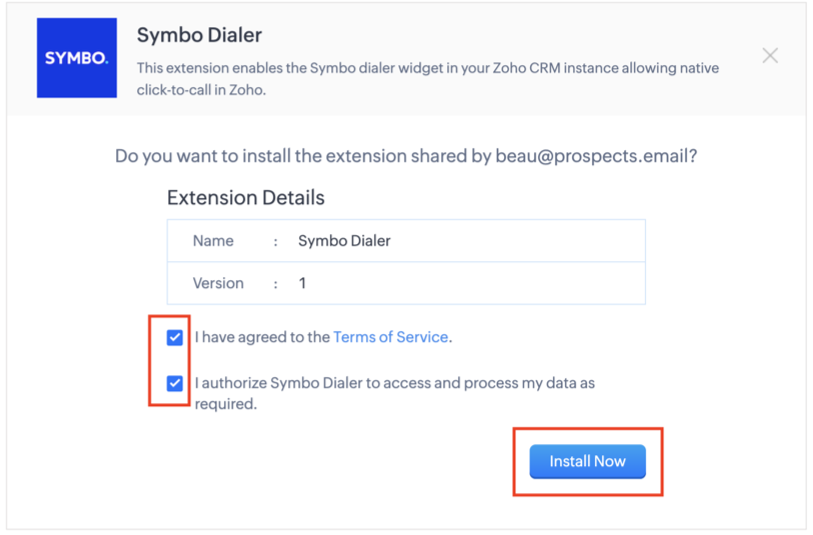
3) The Symbo Dialer will install and become available in the bottom toolbar.
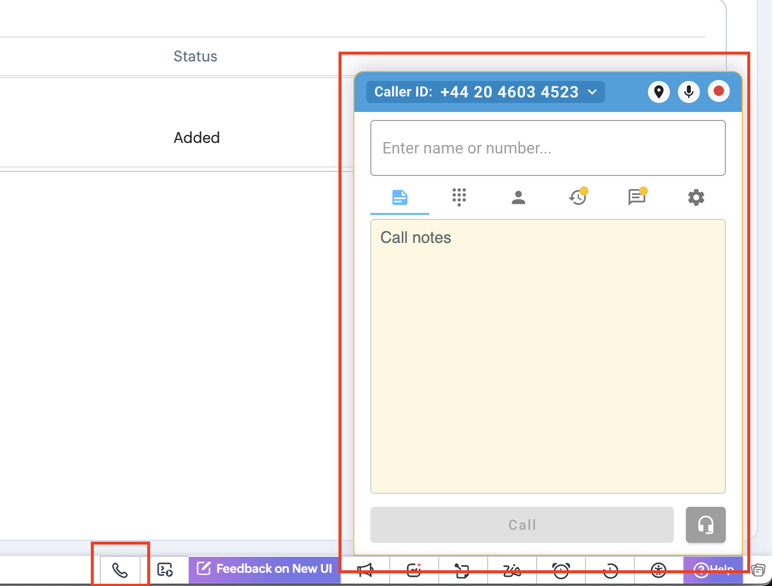
That's a wrap!
Let us know if you have trouble or questions while configuring the Symbo Dialer for Zoho. You can reach us at [email protected].