
Sync with CRM is a call outcome trigger. When a rep saves the outcome, Symbo creates or updates the call’s contact in your CRM, so nobody has to open the contact to sync it.
Set it up
Open Organization settings → Outcomes → Call outcomes and edit an outcome.
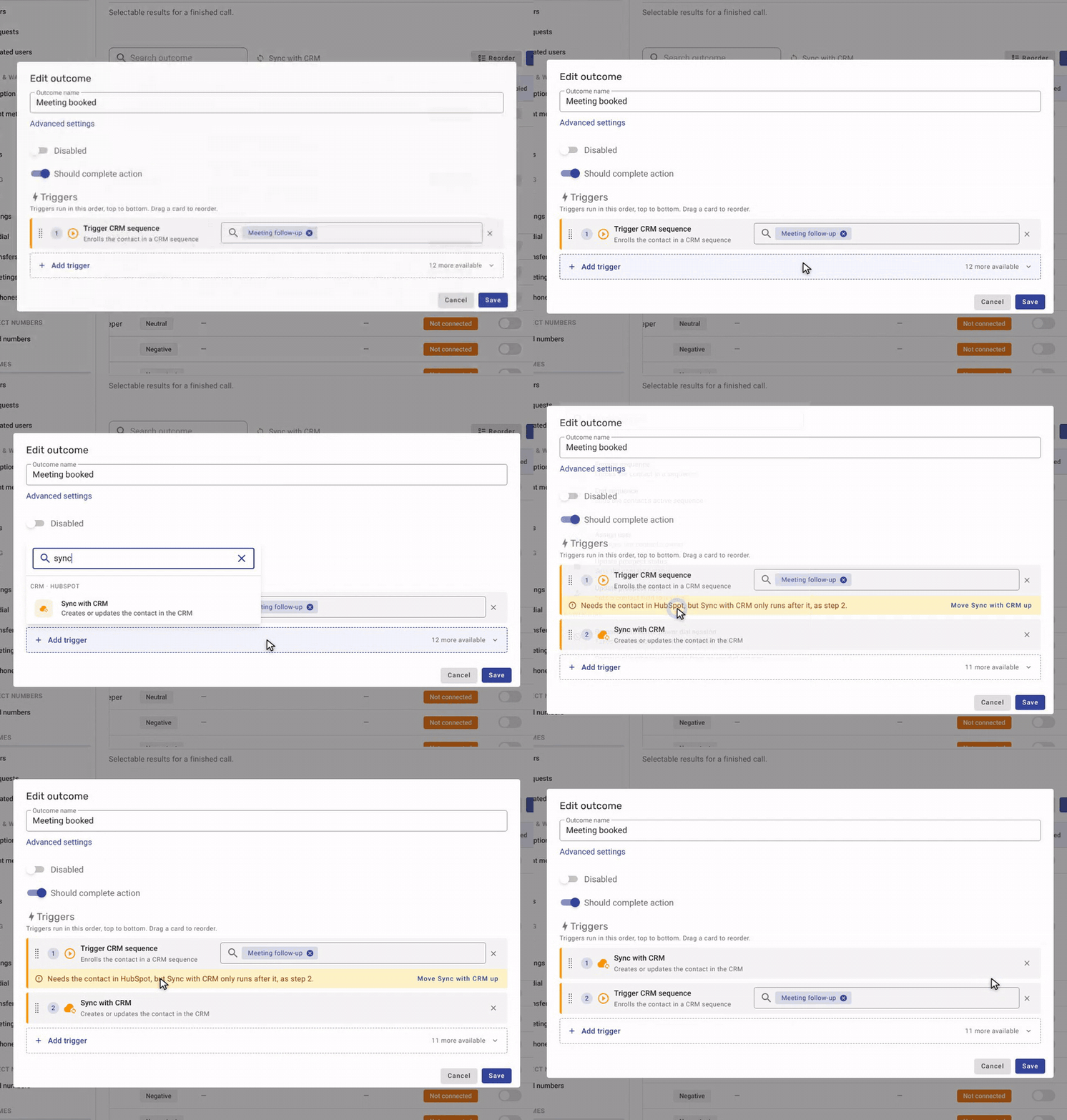
Click Add trigger, search for “sync” and pick Sync with CRM (under CRM). It has no settings.
Click Save.
It’s offered only on call outcomes, once your organization has a CRM connected.
How it works
Contact already linked to a CRM record: the CRM’s latest values come into Symbo first, then Symbo’s changes go to the CRM.
Not linked yet: Symbo looks for a matching CRM record, by email first and then by phone, and links it. With no match, it creates the contact in the CRM, plus its company if that isn’t there yet.
Linked by a match: the contact keeps its phone numbers and emails. Symbo adds them to the CRM record without overwriting values already there.
Whose CRM connection: the contact owner’s, even when a teammate makes the call. If the owner has no working CRM connection, the rep’s is used.
Calls: the contact’s calls are logged on the CRM record, including the call that fired the trigger.
It runs whether Auto sync to CRM is on or off.
Tips
Put Sync with CRM above Trigger CRM sequence or Trigger CRM workflow on the same outcome, so the contact is in the CRM first. If it’s below one, a warning shows with a button that fixes the order.

With Auto sync to CRM off, add it to the outcomes for contacts worth pursuing, so only those reach your CRM.
Using HubSpot sequences? Trigger CRM sequence enrolls the contact as the rep who saved the outcome, so each rep needs a personal inbox connected in HubSpot, under the email they use to log into Symbo.