Symbo can add your opt-out wording to the first text in every conversation, handle STOP and START replies for you, and keep an SMS block list (sometimes called a blacklist) so nobody on your team texts a number that opted out. Only org admins can change these settings and manage the list.
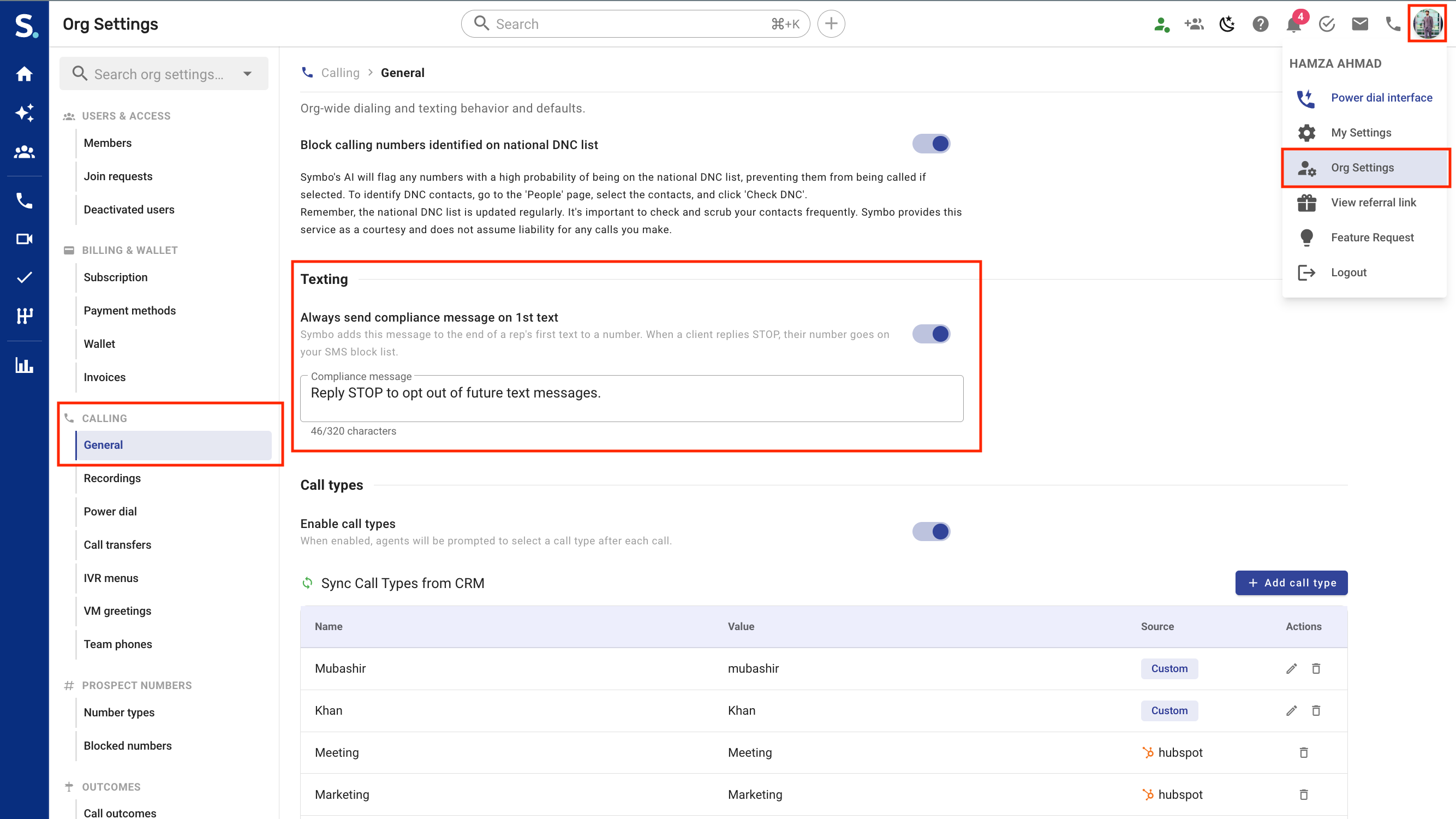
Go to Org Settings → Calling → General and scroll to the Texting section.
Always send compliance message on 1st text: switch it on. It's off by default.
Compliance message: the wording Symbo adds. The default is "Reply STOP to opt out of future text messages". Change it and click Save.
The message has to tell the client to reply STOP. It can't use merge tags, because it's sent exactly as written, and it can be up to 320 characters. The count under the box shows its length.
Tip: Your 10DLC registration usually asks for your brand name and opt-out wording in the first message, so many teams use the same wording here. See Symbo 10DLC Registration Guidelines.
Symbo adds it to the end of the first text in each conversation, after a blank line. It's part of the same text, so the client always gets it with your first message.
A conversation is the client's number plus the number you text from. Each rep who texts the client from their own number sends their own first text. Reps who share a team number share its conversations, so only the first text from that number gets it.
Later texts in the conversation go out exactly as you write them.
Only texts that went out count. If your first text failed, the next one gets the compliance message. If the client texts you first, your first reply gets it.
Conversations where a text had already gone out before you switched it on don't get it.
It's added wherever you text from: the dialer (including during a call), the Messages tab, the power dialer, contact pages, sequence SMS steps, HubSpot workflows and AI Chat.
In the conversation it shows as part of your message. If a first text fails and you click Retry, the compliance message isn't added a second time.
[Screenshot: 02-first-text-with-compliance-message.png (A first text that ends with the compliance message)]
While the compliance message is switched on, Symbo reads replies for opt-out and opt-in words.
Opt-out words: STOP, STOPALL, UNSUBSCRIBE, CANCEL, END, QUIT, REVOKE and OPT OUT. The reply has to be just that word. Capitals and punctuation don't matter, so "Stop." counts, but "Can you stop by at 3?" doesn't.
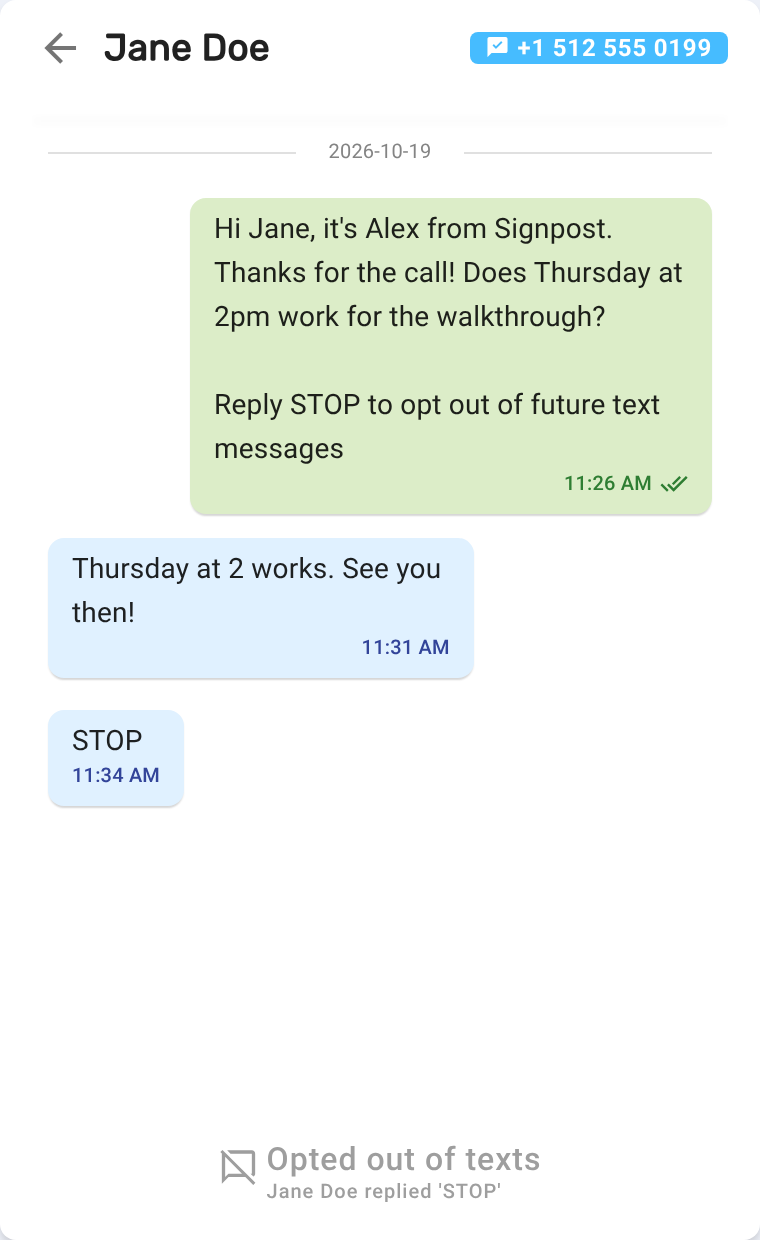
When a client opts out, their number goes on your SMS block list with a reason like Jane Doe replied 'STOP'. Nobody in your org can text it from any number, but calls still go through.
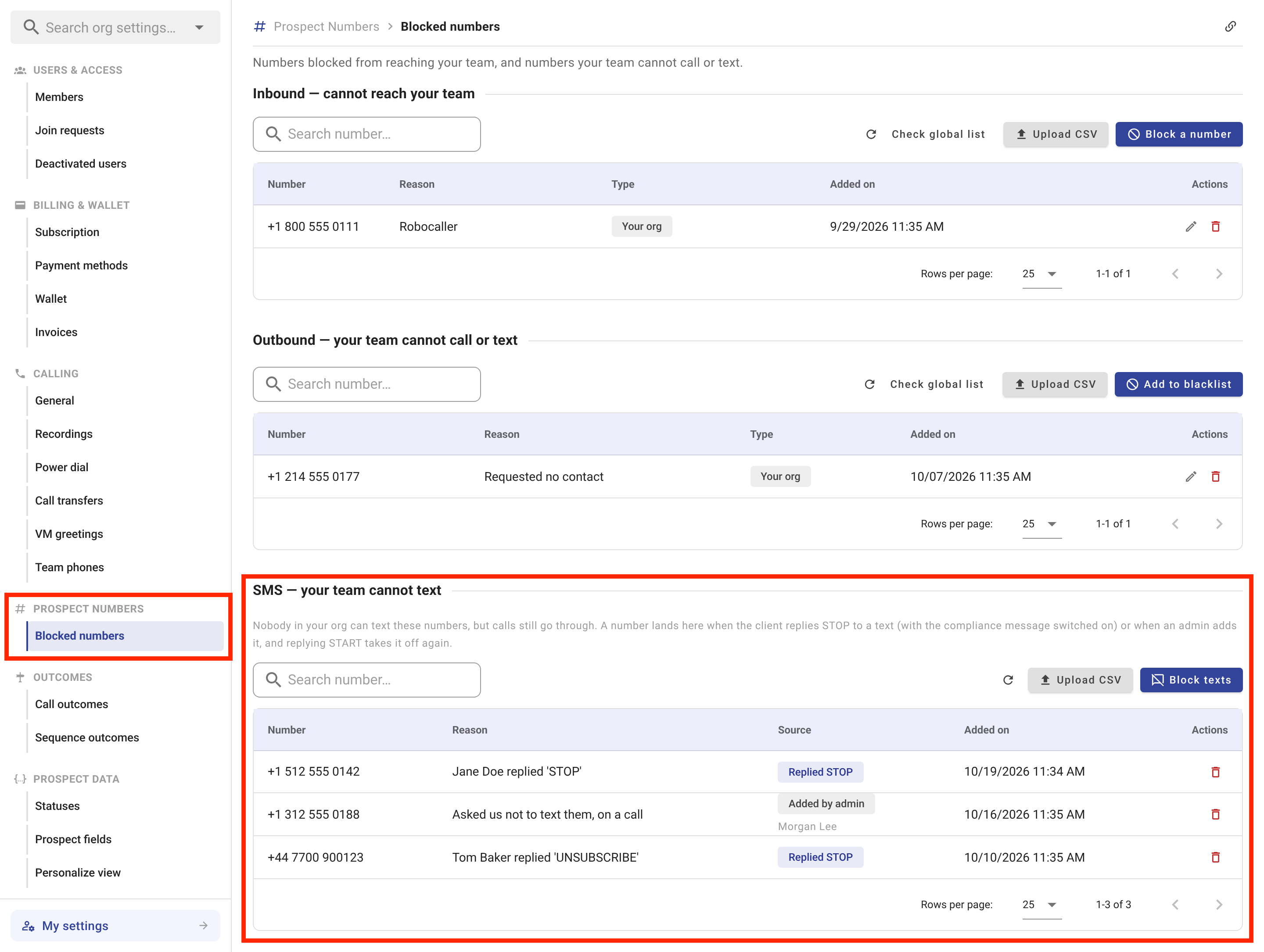
The rep who got the reply sees a notification: Replied "STOP" and can't be texted anymore. It's under the SMS filter in the notification center.
The reply itself still shows in the conversation and is logged to your CRM like any other text.
START, UNSTOP, YES or Y takes the number off the list again, if a STOP reply put it there. Numbers an admin added stay until an admin removes them.
Their carrier may also block texts to a number that replied STOP, until the client replies START. Taking the number off the SMS block list doesn't lift that block, and a YES or Y reply may not either; a START reply does.
Symbo doesn't send a confirmation text when a client opts out or back in.
If you switch the compliance message off later, Symbo stops reading STOP and START replies, but numbers already on the list stay blocked.
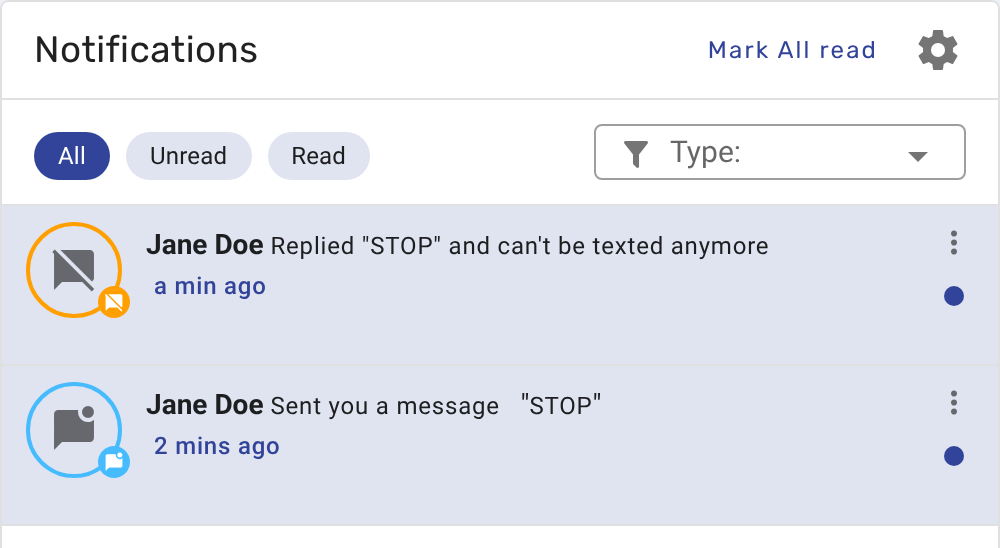
Go to Org Settings → Prospect Numbers → Blocked numbers. The SMS — your team cannot text section lists every number your team can't text. You can use it whether or not the compliance message is switched on.
Each row shows the Number, the Reason, the Source (Replied STOP, or Added by admin with the admin's name) and when it was Added on.
Search number… finds a number in the list.
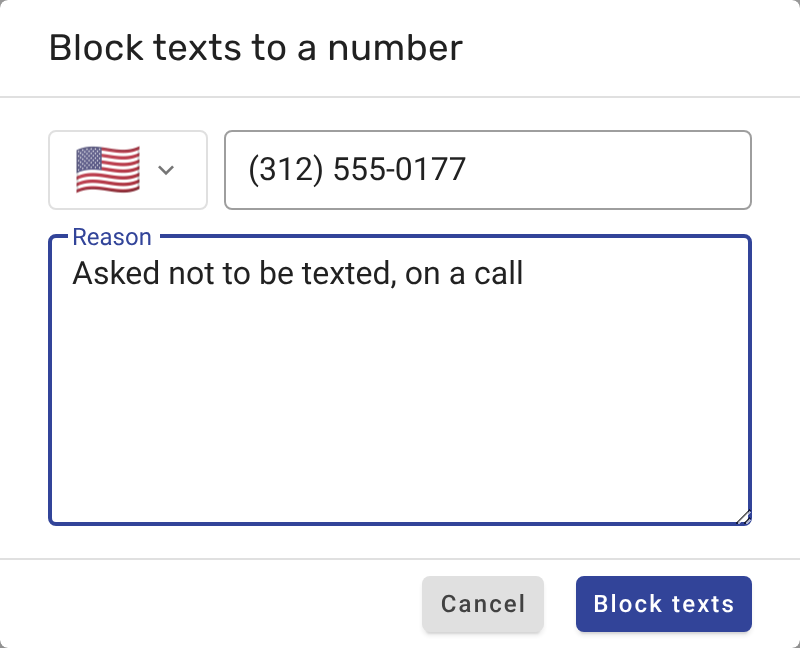
Block texts adds one number: pick the country, enter the number, add a reason if you like, and click Block texts.
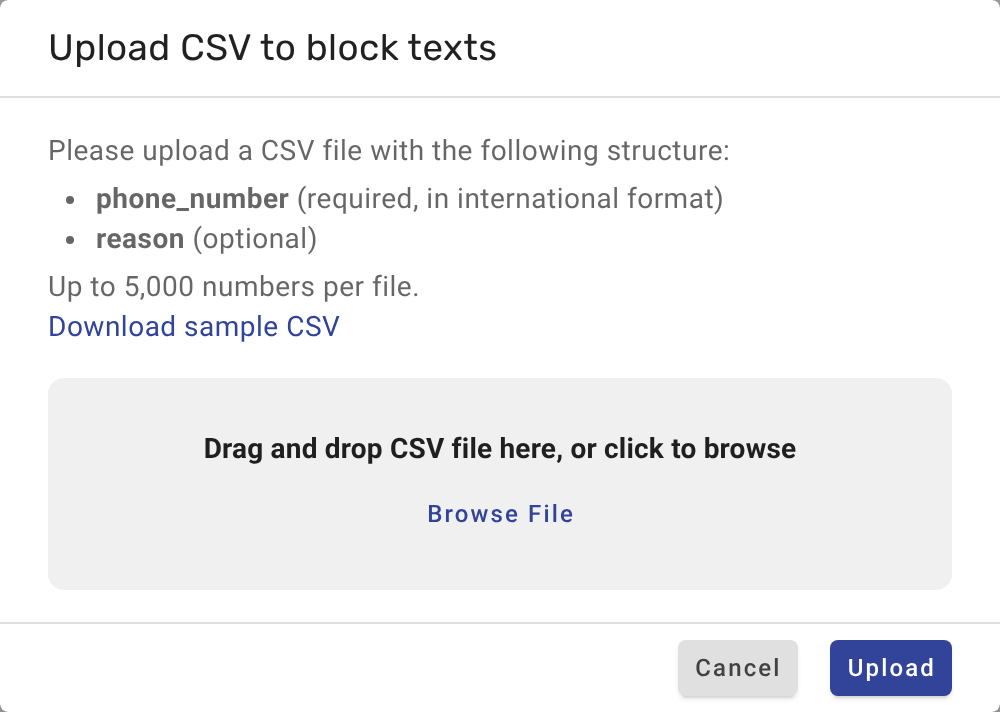
Upload CSV adds many numbers at once. The file needs a phone_number column (in international format) and can have a reason column. Up to 5,000 numbers per file; Download sample CSV gives you a template.
The delete icon (Allow texts again) takes a number off the list. For a number that replied STOP, the carrier may keep blocking your texts until the client replies START, and the confirmation warns you about this.
This list stops texts only. To stop calls as well, add the number under Outbound — your team cannot call or text on the same page.
In a conversation with a number on the SMS block list, the message box is replaced by Opted out of texts and the reason, and sending is switched off. This is the same wherever reps text from: the Messages tab, the dialer, the power dialer and sequence SMS steps.
The rep who gets a STOP reply sees the conversation switch to Opted out of texts straight away. Anyone else who already has the conversation open, for example when an admin blocks the number, sees their next text fail with the reason "This number opted out of texts or is on your organization's SMS block list, so it can't be texted.", and then the message box switches.
A Symbo SMS action in a HubSpot workflow fails with the same reason for that number, and the workflow moves on. AI Chat tells you the number opted out of texts.
If the carrier still blocks a number that replied STOP, the text fails with: "This number replied STOP, so the carrier is blocking your texts until they reply START."
Why didn't my text include the compliance message?
It's only added to the first text in a conversation. Check that Always send compliance message on 1st text is on, and that no earlier text from the same number to this client went out.
A client replied STOP, but their number isn't on the SMS block list.
STOP replies are only handled while the compliance message is switched on, and the reply has to be just the opt-out word. Add the number with Block texts if they asked to opt out in other words.
Can we still call a number that opted out of texts?
Yes. The SMS block list only stops texts. Use the Outbound section of Blocked numbers to stop calls too.
How do we text a number again?
If a STOP reply put it on the list, the client has to reply START. That takes it off the list and lifts the carrier's block too. An admin can remove it with Allow texts again, but the carrier may keep refusing texts until the client replies START. A number an admin added comes off with Allow texts again.
We allowed texts again, but texts to the number still fail.
The number replied STOP, and the carrier may keep its own block until the client replies START. Ask the client to reply START, for example during a call.
