Admin access to edit Call Outcomes and Sequence Outcomes (for automated triggers)
At least one active sequence created
Contacts with valid email addresses and/or phone numbers
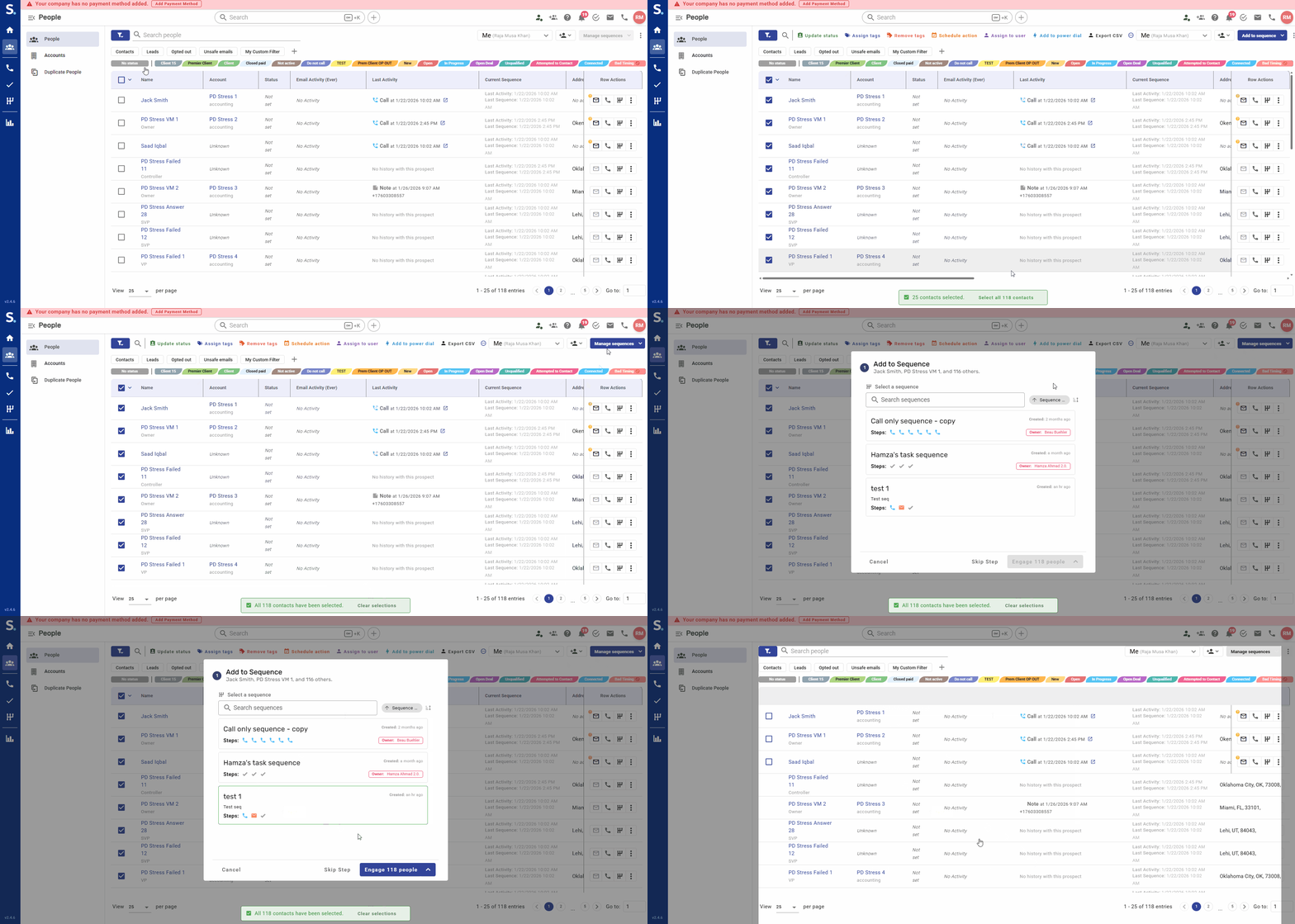
You can add contacts individually or in bulk (up to 500 contacts per action).
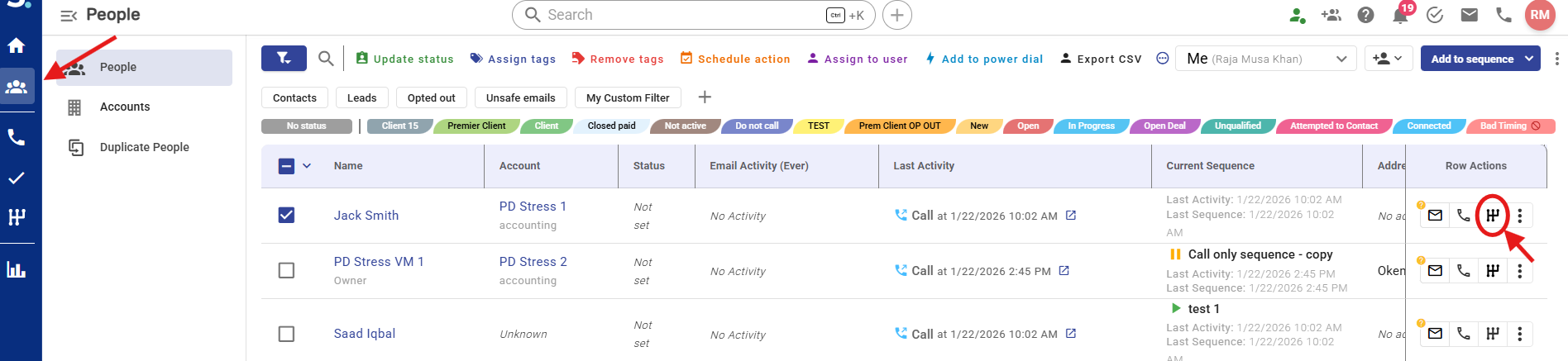
From your Symbo dashboard navigate to your contacts the People table from the left sidebar
Add your desired contact to a sequence by clicking the Engage in Sequence button from the Row Actions on the right end of your contact row.
In the popup, search and select the sequence
Click Engage to add that contact to a sequence
Optional:
Click the arrow next to Engage → choose Schedule Start
Set a future date and time
Click Confirm
Note: Scheduling a start overrides the first step’s original due date and time inside the sequence
From your Symbo dashboard navigate to your contacts the People table from the left sidebar
Filter your contact list and select using checkboxes the contacts you want to add to a sequence. Use Select All if you want to add all filtered results
Click Add to Sequence (top-right)
Select your sequence
Click Engage or Schedule Start
Confirm enrollment
Note: Scheduling a start overrides the first step’s original due date and time inside the sequence.
From your Symbo dashboard navigate to your Sequences in the Sequence Management view from the left sidebar
You can confirm the number of contacts enrolled into each sequence under the “People Engaged” column
This method enrolls contacts into a sequence automatically after a call based on the call outcome selected
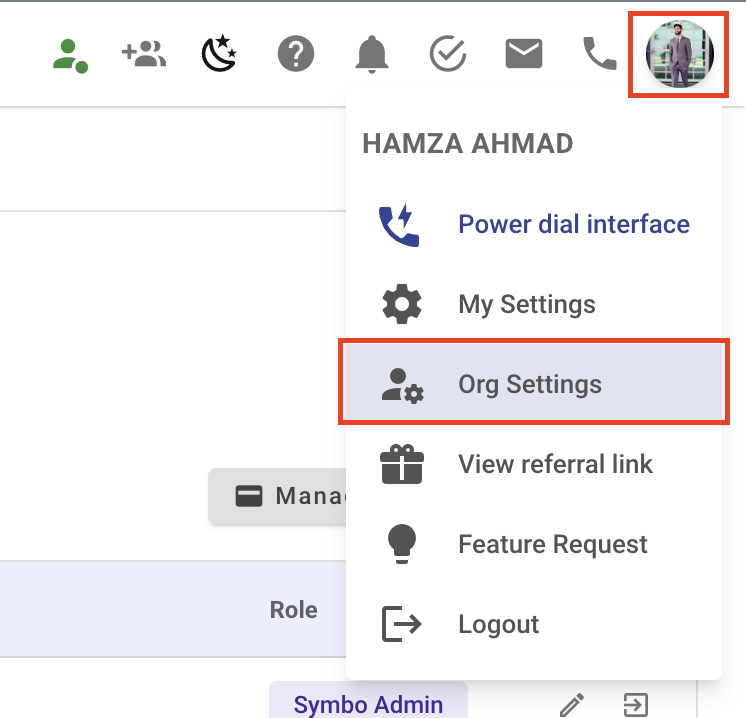
From the Symbo Dashboard click on your Profile Icon/Avatar and open Organization settings
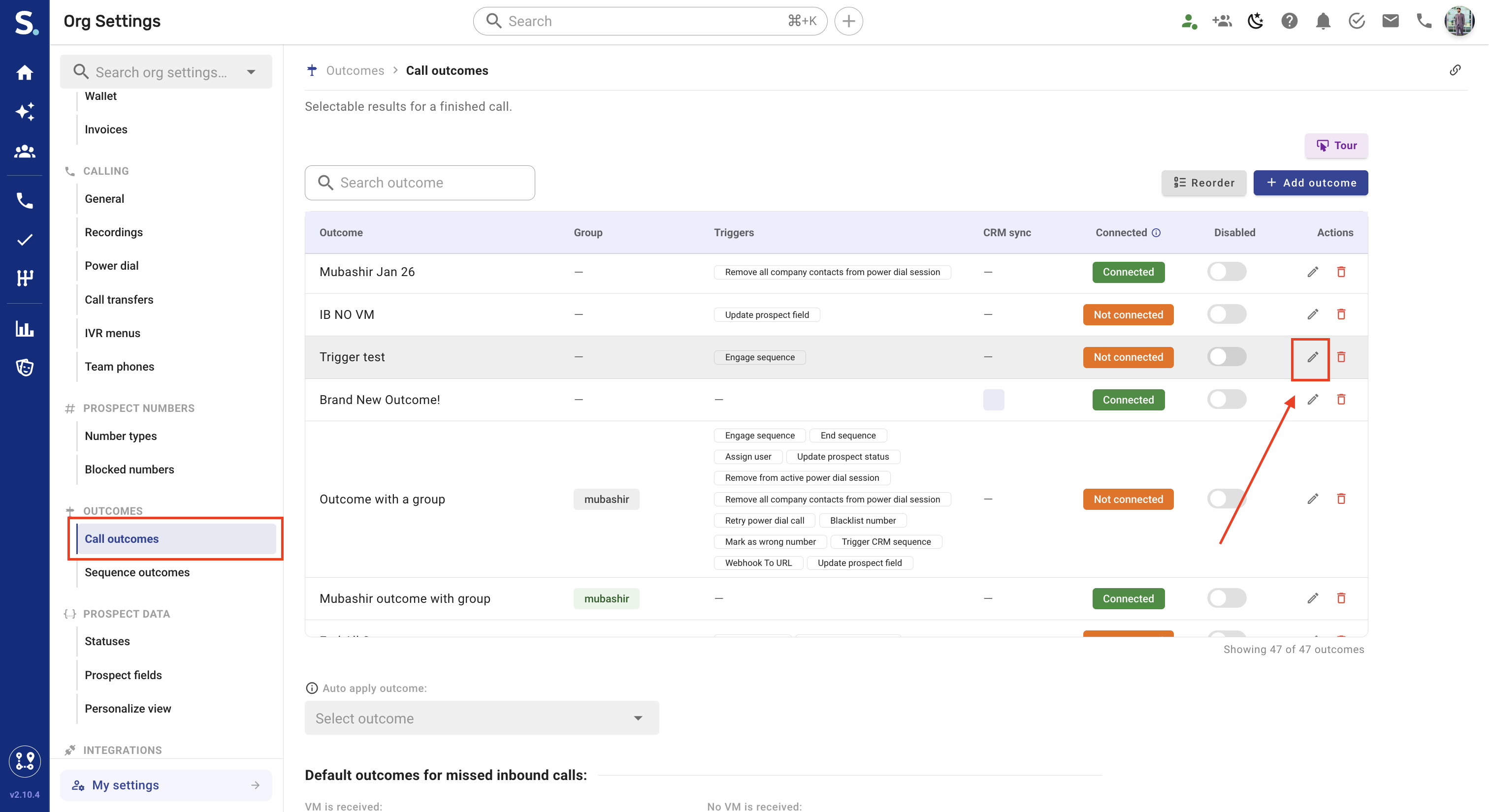
Go to Outcomes → Call outcomes
Edit an existing Call Outcome (pencil icon)
Click Add trigger → Select Engage Sequence and choose your target sequence e.g. Follow-Up Sequence
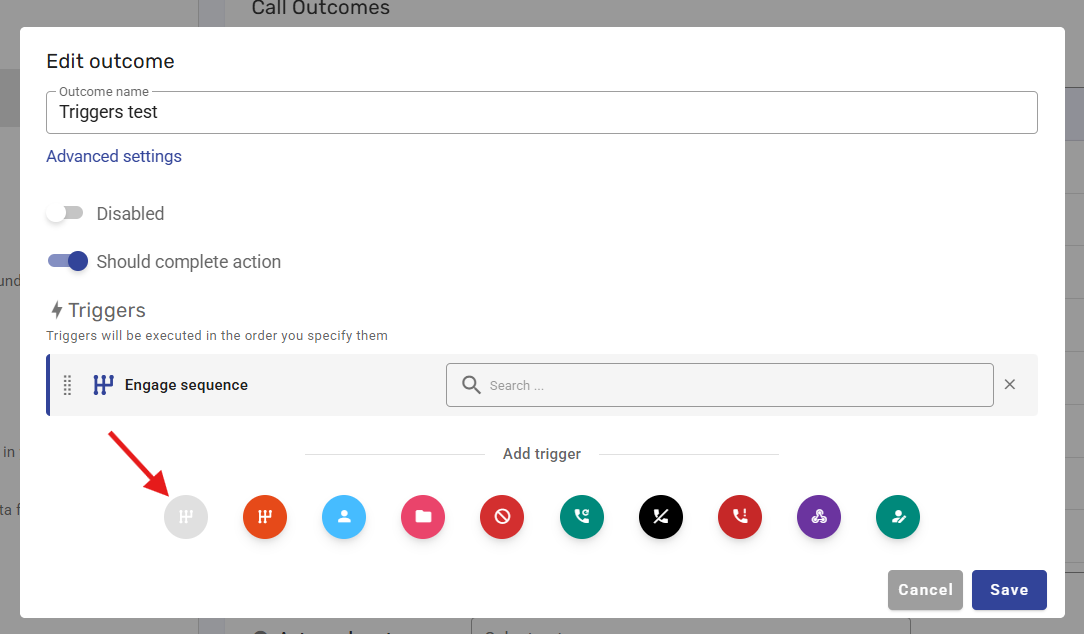
During a call, the user selects an outcome
If the outcome has an Engage Sequence trigger:
The contact is automatically enrolled into the selected sequence
Example:
Outcome: Positive Response
Trigger: Engage Demo Scheduling Sequence
Result:
Contact is instantly enrolled after the call ends
This allows you to chain sequences together based on completion or engagement.
From your Symbo dashboard navigate to your Sequences in the Sequence Management view from the left sidebar
Click on your Sequence name → Outcomes. Create an new outcome or select an existing outcome.
Add Trigger → Engage Sequence. Choose the target sequence
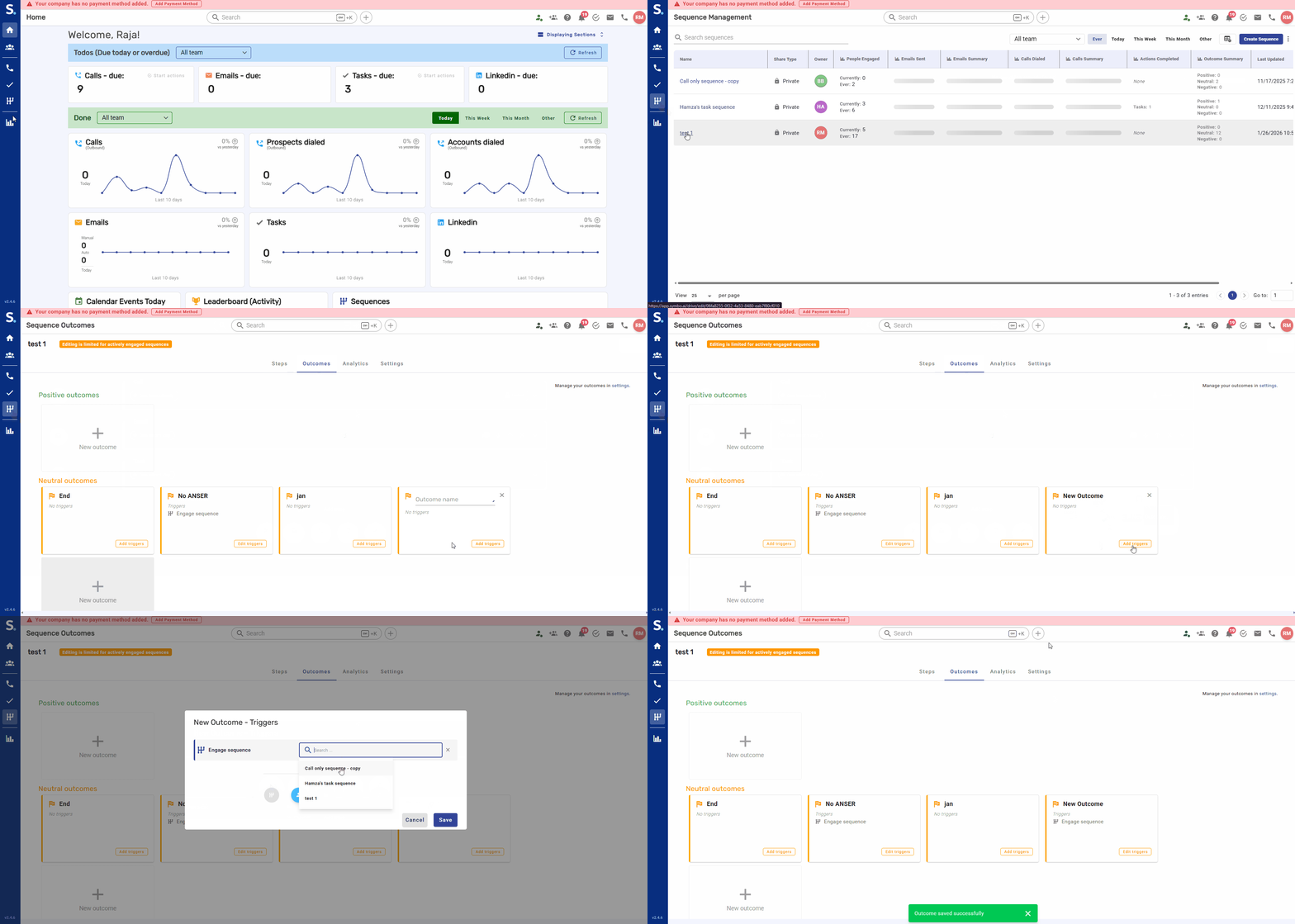
When a contact completes or meets conditions in one sequence
They are automatically enrolled into another
Example:
Completion of Welcome Sequence
Triggers enrollment into Nurture Sequence