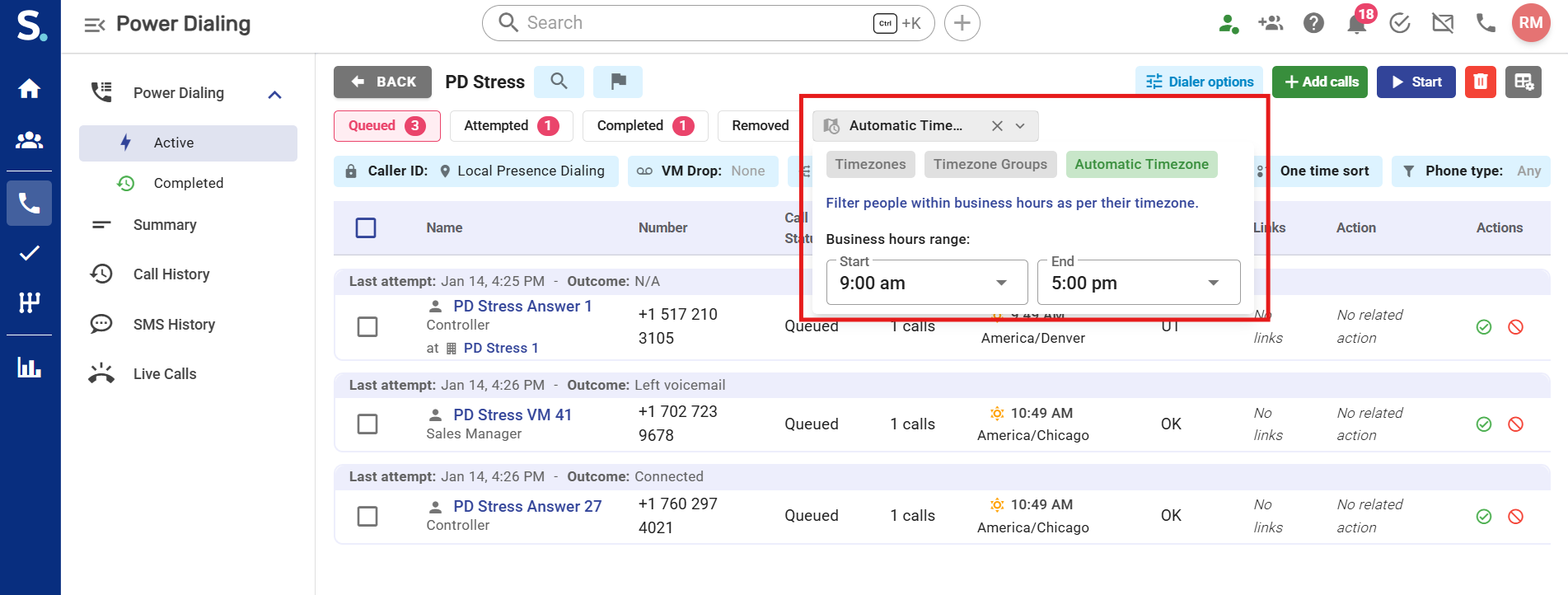
Symbo offers three ways to manage time zones during dialing sessions: Specific Time Zones, Time Zone Groups, and Automatic Time Zone Management (recommended). Choosing the right option depends on how broad your campaign is and how much automation you want. If you are calling a specific region or running a localized campaign, Specific Time Zones or Time Zone Groups work best. For larger or continuous dialing sessions across multiple regions, Automatic Time Zone Management is the most efficient and hands-off option.
Subscription to Power Dial plan (for Power Dial view configuration)
Prospects must have valid phone numbers so their time zones can be detected
Basic understanding of your desired calling hours (e.g., 9 AM–5 PM local time)
From your Symbo dashboard navigate to the left-hand sidebar menu and click the Calls icon
This will open the Power Dialer View, from here select or create your dialing list.
You can then filter your list using your desired Time Zone option.
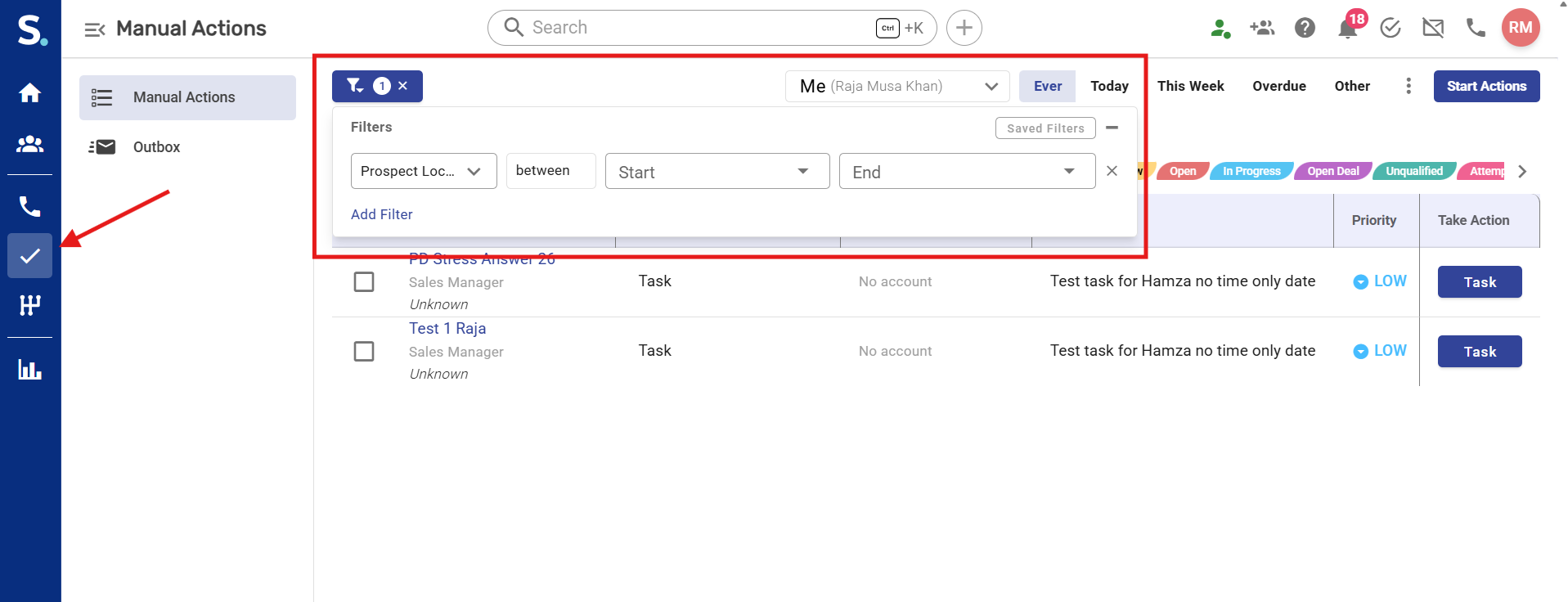
From your Symbo dashboard navigate to the left-hand sidebar menu and click the Actions (✔) icon
This will open the Actions view table, from here select your dialing list.
You can then filter your list using the Prospect Local Time filter to show only prospects whose current local time is within your selected range.
Apply the “Prospect Local Time” filter
Set your desired time range: e.g. 9:00 AM – 5:00 PM
What it does:
Targets exact geographic zones.
When to use:
Regional campaigns
Small, precise targeting
How it works:
Only prospects in selected zones appear.
What it does:
Bundles related zones for easier selection.
When to use:
Regional outreach
Multi-state campaigns
How it works:
Selecting one group includes all zones inside it.
What it does:
Automatically manages zone inclusion based on your calling hours.
When to use:
Large campaigns
Long dialing sessions
Maximum efficiency
How it works:
Time zones move in and out automatically.
Ensures compliance and consistency.
For Maximum Efficiency:
Use Automatic Time Zone Management for most campaigns.
Set calling hours that reflect your audience (typically 9 AM–5 PM).
For Regional Campaigns:
Use Time Zone Groups to simplify targeting.
Run multiple sessions for different regions if needed.
For Better Answer Rates:
Avoid very early and late calls.
Test different time windows to find what works best for your audience.
