
Step 1: Access Org Settings
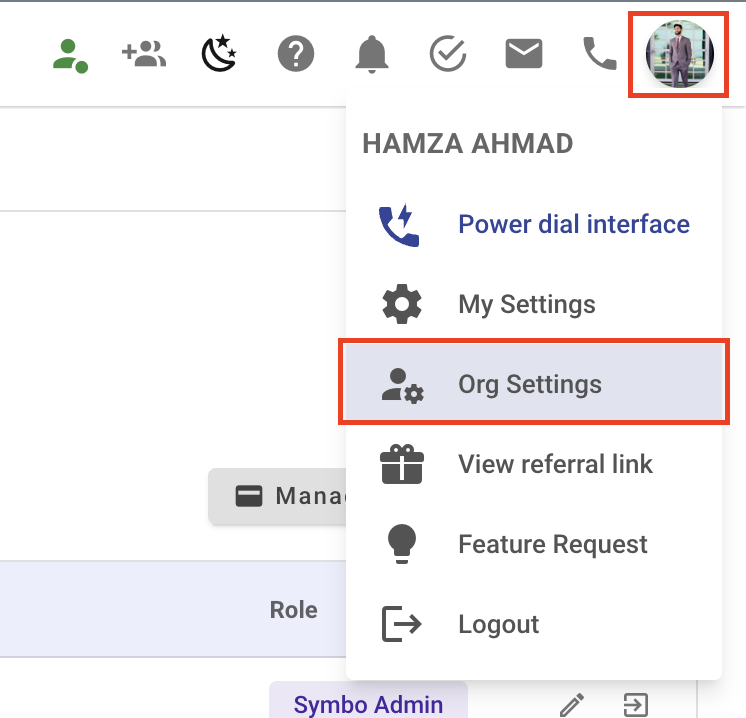
Click on your avatar in the upper-right corner of the screen.
Select Org Settings from the dropdown menu.
Note: You must have admin privileges to access these settings. Ensure you’re logged in with an account that has the correct permissions.
Step 2: Navigate to Call Outcomes
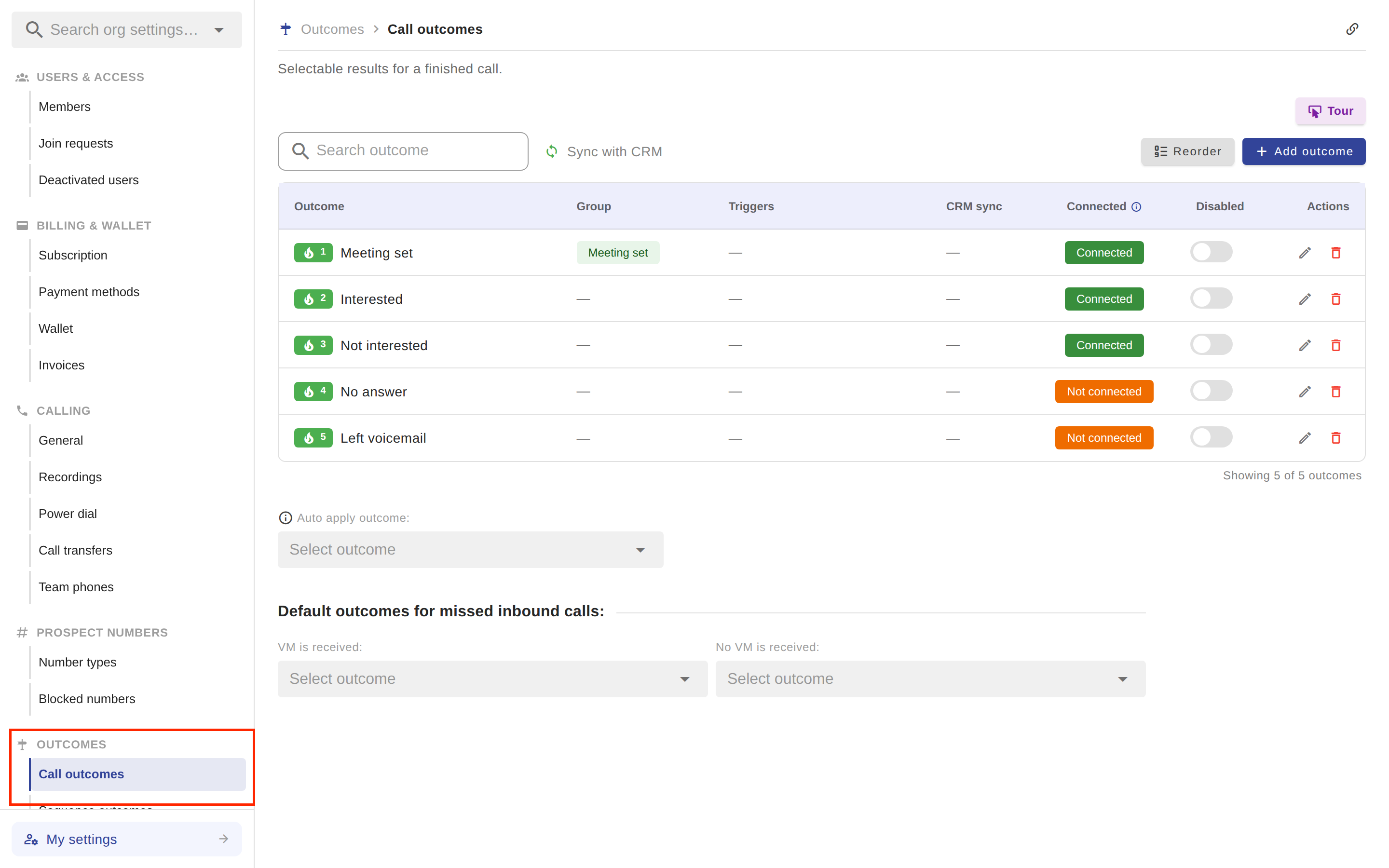
In the settings menu on the left, locate the Outcomes section.
Under Outcomes, select Call outcomes.
Step 3: Reorder Call Outcomes
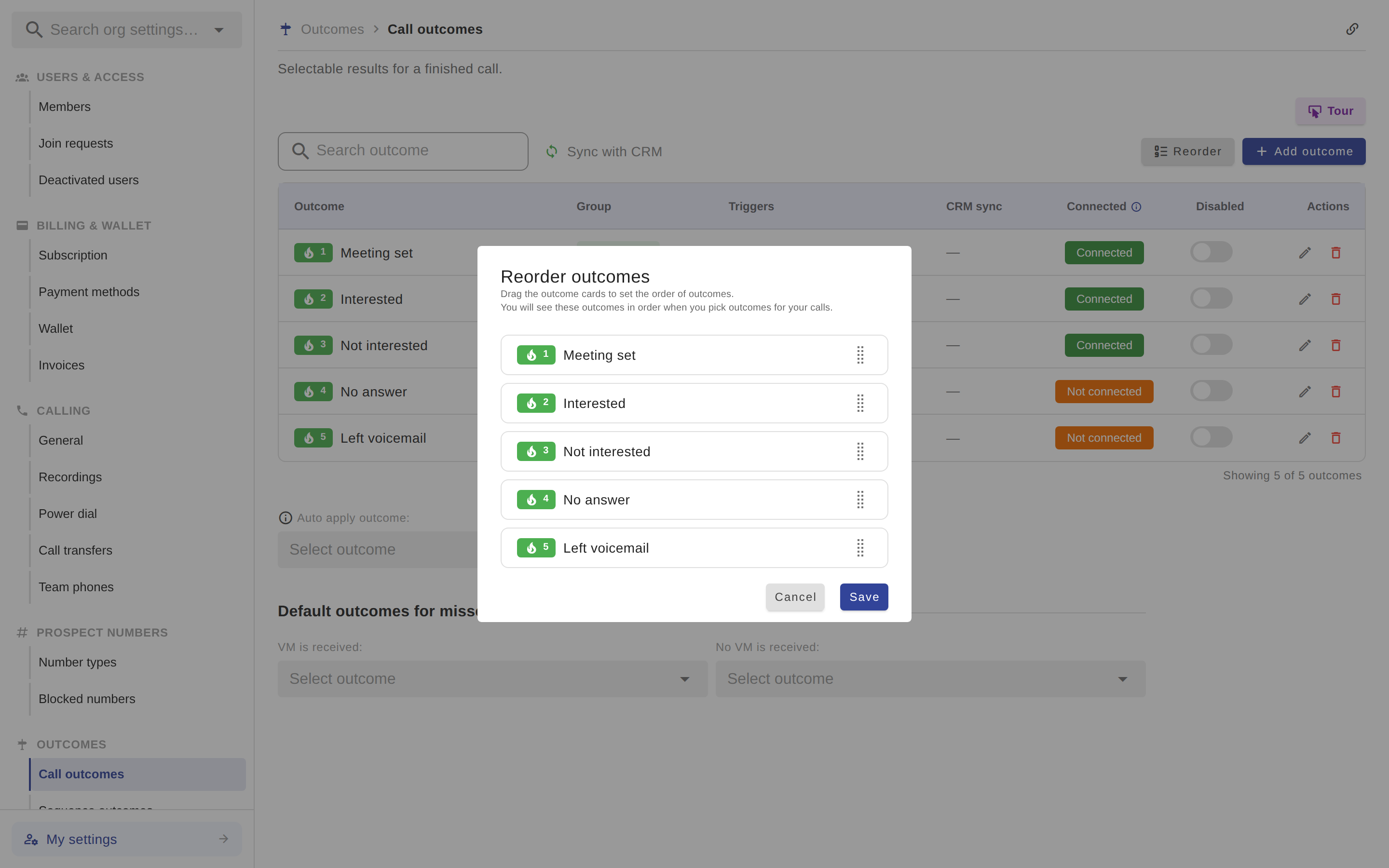
Click the Reorder button above the outcomes table.
Drag and drop the call outcomes into your preferred order.
Once satisfied, confirm the changes to save the new order.
Your reordered call outcomes will now appear correctly in the dialer.
If you have any questions or need further assistance, don’t hesitate to contact us.